
Managed IT Services for Law Firms Toronto: A Complete Guide for Legal and Accounting Practices
Managed IT services for law firms Toronto have moved from a nice-to-have to a core part of running a modern legal practice. Client files, trust account records, court deadlines and privileged emails all live on your technology. When that technology fails, or is breached, the damage goes well beyond downtime: it reaches your reputation, your regulatory standing and your clients’ trust. The same is true for accounting practices that hold tax returns, payroll data and financial statements. This guide explains what managed IT looks like for Toronto’s professional firms, why it matters, and how to choose the right partner.
What Are Managed IT Services for Law Firms Toronto?
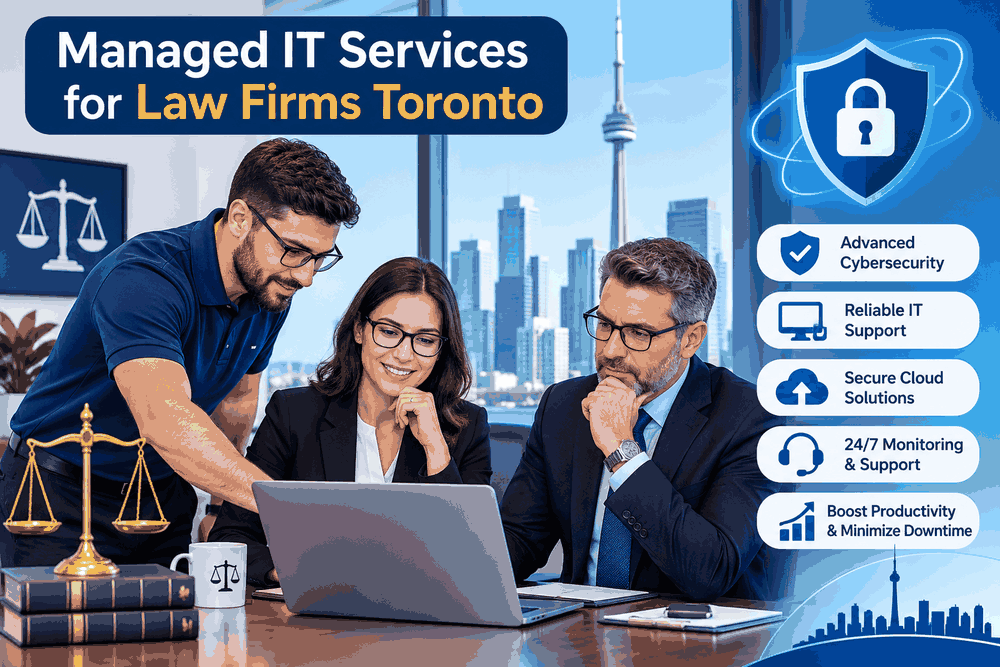
The concept of managed IT services is about entrusting the operations, management, and security of your technology to a specialized firm at a fixed monthly cost. Rather than reaching out when there’s a problem, you will have access to an entire team of experts who monitor your system 24/7, fix vulnerabilities, perform backup, and upgrade your system.
In a law firm, a good managed IT services package will normally include:
- Help desk and remote support for lawyers, clerks and assistants
- Server, workstation and network monitoring
- Email security and Microsoft 365 or Google Workspace administration
- Backup and disaster recovery
- Endpoint protection and security patching
- Vendor management for practice management and document software
- Strategic IT planning and budgeting
A good MSP Toronto firms can rely on treats your practice as a business with specific workflows, not as a generic office.
Why a Break-Fix Approach No Longer Works
The old model, paying a technician by the hour when something goes wrong, creates the wrong incentives. The provider earns more when your systems fail. With a managed model, the provider is motivated to keep everything stable, because stable systems are what you are paying for.
For a busy firm, an afternoon without email or document access can mean missed filing deadlines and unbillable hours. Proactive management reduces those risks and makes your technology spend easier to forecast.
Learn more about Managed IT Support
Why Toronto Law Firms Need Specialized IT Support
Law firms make ideal targets for cyberattacks. They store confidential information about clients, transfer huge amounts of money in transactions related to real estate and mergers & acquisitions, and operate with small IT support staffs. Small and medium-size law firms are even more vulnerable since they have valuable information but lack in-house tech personnel.
Confidentiality and Professional Obligations
Lawyers in Ontario have a duty of confidentiality and a duty of competence that extends to the technology they use. The Law Society of Ontario has published guidance encouraging licensees to understand the risks of the tools they rely on and to take reasonable steps to safeguard client information. An experienced IT partner helps you translate those obligations into practical controls such as access management, encryption and secure client communication.
Law Firm Cybersecurity Canada: The Threats You Face
Effective law firm cybersecurity Canada planning starts with understanding the most common threats:
- Phishing and business email compromise: Fraudulent emails that impersonate clients, partners or banks to redirect payments or steal credentials.
- Ransomware: Malware that encrypts files and demands payment, often after attackers have quietly copied your data.
- Credential theft: Reused or weak passwords that give attackers access to email and cloud systems.
- Unpatched software: Known vulnerabilities in operating systems, VPNs and applications that remain open for months.
- Lost or stolen devices: Laptops and phones that carry client data outside the office.
A managed provider addresses these with layered defences: multi-factor authentication, advanced email filtering, endpoint detection and response, encrypted devices, regular security awareness training and tested backups.

IT Support for Accounting Firms Toronto: Many of the Same Needs, Plus Seasonal Pressure
Professional services share many challenges, but accountants face a few unique ones. Reliable IT support for accounting firms Toronto businesses depend on must handle intense seasonal workloads, strict deadlines and highly sensitive financial data.
Tax Season Demands Zero Downtime
Between January and April, a slow network or a failed workstation can derail the entire team. Managed IT providers can plan capacity ahead of busy periods, verify that tax software is updated and licensed, and offer rapid response when something does go wrong.
Protecting Client Financial Data
Accounting practices handle Social Insurance Numbers, banking details, payroll records and corporate filings. Canadian privacy law, including PIPEDA for private-sector organizations, expects businesses to protect personal information with safeguards appropriate to its sensitivity. Your IT partner should help you document and maintain those safeguards, including encryption, role-based access and secure file sharing with clients.
Remote and Hybrid Work Support
Many accountants work from client sites or from home. Secure remote access, managed laptops and cloud-based practice tools let your staff work flexibly without exposing the firm to unnecessary risk.
Core Benefits of Managed IT Services for Law Firms Toronto
When you invest in managed IT services for law firms Toronto partners deliver, the benefits show up in both operations and risk management.
Predictable Monthly Costs
A flat monthly fee replaces surprise invoices. You can budget confidently, and upgrades become planned projects instead of emergencies.
24/7 Monitoring and Faster Response
Problems are often detected and fixed before staff notice them. When users do need help, they reach technicians who already know your environment.
Stronger Security and Compliance Posture
A provider with a security-first approach maintains patching schedules, access controls and documented policies. This supports your obligations to clients, regulators and cyber insurers, many of whom now ask detailed questions about multi-factor authentication, backups and incident response before issuing or renewing coverage.
Business Continuity and Disaster Recovery
Backups only matter if they can be restored. Managed providers test recovery regularly so your firm can get back to work quickly after hardware failure, ransomware or even a building outage.
Access to Expertise You Could Not Afford In-House
Hiring a full internal team of network engineers, security analysts and help desk staff is costly. A managed partner gives you that depth for a fraction of the price.
What to Look for in an MSP Toronto Law and Accounting Firms Can Trust
Not every provider is a fit for regulated professional practices. When comparing an MSP Toronto firms might consider, ask these questions.
Experience With Legal and Accounting Software
Does the provider understand practice management, document management and time-and-billing platforms? Familiarity reduces onboarding friction and speeds up troubleshooting.
Clear Service Level Agreements
Look for written response and resolution targets, defined support hours and clear escalation paths. Vague promises are a warning sign.
A Security-First Approach
Ask how the provider handles multi-factor authentication, endpoint protection, email security, vulnerability management and incident response. Request details on how they secure their own systems, since a compromised MSP can expose every client.
Canadian Data Residency Options
Some firms prefer or are required by client agreements to keep data in Canada. Confirm where backups and cloud services are hosted and what choices you have.
Local Presence and Responsiveness
While most issues are solved remotely, having reliable IT support Toronto teams who can visit your office for hardware installs, moves and urgent problems adds real value.
Transparent Pricing and Reporting
You should know exactly what is included, what costs extra and how the provider reports on tickets, security events and project progress.
How Onboarding With a Managed IT Provider Works
A well-run transition usually follows a clear path:
- Discovery and assessment: The provider reviews your devices, network, applications, licences and current risks.
- Roadmap and quote: You receive a prioritized plan covering immediate fixes and longer-term improvements.
- Onboarding: Monitoring tools are deployed, documentation is created and users are introduced to the help desk.
- Security hardening: Multi-factor authentication, patching and backup improvements are put in place.
- Ongoing management: Regular reviews, reporting and strategic meetings keep technology aligned with the firm’s goals.
Practical Cybersecurity Steps Every Firm Can Take Today
Even before you engage a provider, these actions reduce risk:
- Turn on multi-factor authentication for email and all remote access.
- Keep operating systems and applications updated.
- Use a password manager and eliminate shared logins.
- Train staff to recognize phishing and verify payment instructions by phone.
- Maintain offline or immutable backups and test restores.
- Create a simple incident response plan that names who to call and what to do first.
A managed partner can then build on this foundation with continuous monitoring and expert response.
Frequently Asked Questions
How much do managed IT services cost for a small law firm in Toronto?
Pricing is commonly per user or per device each month, and it varies with the services included, the size of the firm and your security requirements. Request a written quote based on an assessment rather than relying on generic estimates.
Can a managed provider work alongside my existing IT person?
Yes. Many firms use a co-managed model where the MSP supplies monitoring, security tools and escalation support while an internal staff member handles day-to-day needs.
Is managed IT only for large firms?
No. Solo practitioners and small partnerships often benefit the most, because they gain enterprise-level protection without hiring full-time technical staff.
Will managed IT help with cyber insurance?
It often does. Insurers increasingly expect controls such as multi-factor authentication, endpoint protection and verified backups, all of which a competent provider can implement and document.
7 Signs Your Firm Is Ready for Managed IT Services
Most firms don’t switch because of a brochure. They switch after one bad week. If any of these sound familiar, it may be time to talk to an MSP Toronto professionals recommend:
- Your lawyers or accountants lose billable time to slow computers, dropped Wi-Fi or constant password resets.
- Nobody can say for certain when your last backup was tested.
- Staff have received suspicious emails and you are unsure what happened next.
- IT is handled by whoever on the team is “good with computers.”
- Software and operating systems are updated only when someone remembers.
- Your cyber insurance renewal asks about controls you cannot confirm.
- Technology costs arrive as unpredictable invoices instead of a planned budget.
Two or three of these is a signal. Five or more means the risk is already sitting in your office.
Local IT Support Toronto Firms Can Reach When It Matters
Whether your practice is on Bay Street, in North York or somewhere else in the GTA, dependable IT support Toronto professionals can rely on means someone who knows your systems, answers quickly and can come on site when a problem can’t be solved remotely. Local support also helps with practical issues that out-of-province vendors overlook: Ontario court and filing deadlines, Canadian data residency questions, and the privacy and professional obligations that apply to Canadian law and accounting practices.
When you search for managed IT services for law firms Toronto has to offer, look for a provider that can speak to those specifics instead of offering a generic, one-size-fits-all package.
Quick Cybersecurity Checklist for Law Firms and Accountants
Use this short list to see where you stand today. Each unchecked item is a conversation worth having with your IT partner.
- Multi-factor authentication is on for email, remote access and cloud tools
- All laptops and phones holding client data are encrypted
- Backups are tested for restore, not just “running”
- Staff have had phishing awareness training in the past year
- Former employees’ accounts are disabled promptly
- A written incident response plan exists and people know where it is
- Software updates and security patches are applied on a schedule
A strong law firm cybersecurity Canada posture is built from many small habits like these, kept up consistently.
Managed IT Services Pricing for Toronto Law Firms and Accounting Practices
Pricing is one of the first things firm owners ask about, so here is how Sandser Technology Services Inc. keeps it simple. Instead of hourly bills that change every month, you pay one monthly fee based on the number of users and the level of protection your practice needs. Every plan is quoted in writing after a short assessment, so you know exactly what is included before you commit.
| Plan | Best for | What is included | Starting price (CAD) |
|---|---|---|---|
| Essential | Solo lawyers and small accounting practices | Help desk, device monitoring, patching, backup monitoring | [Insert price] per user per month |
| Secure | Growing firms handling sensitive client data | Everything in Essential, plus multi-factor authentication, email security, endpoint protection and staff security training | [Insert price] per user per month |
| Complete | Mid-sized firms with compliance and uptime needs | Everything in Secure, plus 24/7 monitoring, disaster recovery planning, vendor management and quarterly IT strategy reviews | [Insert price] per user per month |
What Affects the Cost of IT Support in Toronto
Two firms with the same headcount can have very different bills. These are the factors that move the price:
- Number of users and devices: more people and endpoints mean more to monitor and protect
- Security requirements: firms handling trust funds or regulated data usually need stronger controls
- Support hours: standard business hours cost less than 24/7 coverage
- Cloud and software stack: Microsoft 365, practice management and document tools each add setup and support work
- Projects: a new office, a migration or a major upgrade is usually scoped separately
What Is Included, and What Is Not
Your quote should list what is covered by the monthly fee, such as help desk, monitoring, patching and backups, and what is billed separately, such as new hardware or large projects. At Sandser Technology Services Inc., that line is drawn in writing up front, so there are no surprises on your invoice.
How to Get an Accurate Quote
The fastest way to get a real number is a free assessment. We review your current setup, identify your biggest risks and send a clear proposal. You can request one at Sandser Technology Services Inc..
Conclusion: Choose a Partner That Understands Professional Practices
The right managed IT services for law firms Toronto providers offer combine proactive support, strong security and a genuine understanding of how legal and accounting teams work. Whether you run a growing litigation boutique or a busy accounting practice, the goal is the same: keep your people productive, your clients’ information protected and your technology costs predictable.
If you are ready to reduce risk and stop firefighting IT problems, start by asking a qualified provider for a technology and security assessment. It is the clearest first step toward a more secure, reliable and compliant practice.
Ready to talk? Contact a Toronto managed IT provider today for a no-obligation IT and cybersecurity assessment for your firm.
Your Questions About Working With Sandser Technology Services, Answered
These are the questions Toronto lawyers and accountants ask us most often. We have tried to answer them the way we would across a desk: plainly, with no jargon and no sales pressure.
How much does IT support cost for a Toronto law firm?
The honest answer is that it depends on your people and your risk, not just your headcount. Most managed IT plans are priced per user per month, and the final figure moves with the number of lawyers and staff, how many devices and locations you have, the security tools you need, and whether you want full support or a co-managed arrangement alongside someone in-house.
What we can promise is how we price it: one clear monthly fee, with what is included written down, so a surprise invoice never lands on your desk in the middle of a closing. We start with a short assessment of your current setup, then give you a written quote you can compare line by line. If you only need part of the picture, such as security or backup, we will say so rather than sell you the whole package. You can see how our plans are structured in the pricing section above, and we will confirm your exact monthly figure in a free, no-obligation quote.
What cybersecurity does a law firm need?
Think of it as layers, because no single tool stops everything. At a minimum, a Toronto law firm should have:
- Multi-factor authentication on email, remote access and cloud systems
- Email filtering that catches phishing and payment-redirect scams
- Endpoint protection on every laptop, desktop and phone that touches client data
- Encryption on devices and on sensitive files in transit
- Regular patching so known weaknesses are closed quickly
- Backups that are tested, with at least one copy kept out of reach of ransomware
- Staff training, because a convincing email is still the most common way in
- A short written incident plan, so everyone knows who to call at 7 p.m. on a Friday
The right mix depends on your practice area. A real estate boutique that handles large trust deposits has different exposure than an immigration firm holding passports and personal histories. We tailor the controls to the work you actually do.
Is Sandser Technology Services PIPEDA compliant for legal firms?
Here is the straight answer: PIPEDA compliance is not something a vendor can hand you in a box. The law places responsibility on your firm to protect the personal information it holds. What a good IT partner does is build and maintain the safeguards that make compliance achievable, and document them so you can show your work.
That is how Sandser Technology Services approaches it. We help put access controls, encryption, secure file sharing, backup and breach-response processes in place, and we keep records of what is configured and why. If a client, insurer or regulator ever asks how you protect personal information, you will have clear answers. We are not a law firm and cannot give legal advice, so for the final word on your specific obligations, your own counsel or privacy officer should be involved, and we are glad to work alongside them.
Does Sandser Technology Services understand solicitor-client privilege requirements?
We understand why it matters, and we build our work around it. Solicitor-client privilege is the foundation of your relationship with clients, so our approach is to limit who can see what, and to be able to prove it.
In practice that means least-privilege access so staff only open the matters they need, confidentiality commitments from our own technicians, careful handling of any remote session that touches your systems, and secure client portals and encrypted email in place of casual attachments. We also take care that backups and cloud services holding privileged material are properly protected. We do not need to read your files to look after your systems, and we design our processes so that we do not. If your firm has specific client or regulatory conditions, tell us at the start and we will build them into the plan.
How quickly can you respond to IT issues at a law firm?
Speed matters most when a hearing is hours away, so we separate the urgent from the routine. A locked-out lawyer or a down email server gets attention first, while a request for a new monitor goes into the regular queue. Many problems are found by our monitoring before anyone at your firm notices them, and most fixes happen remotely, so you are not waiting for someone to travel across the GTA.
Our response targets are written into your service agreement so you know what to expect. [Insert Sandser Technology Services’ actual response times by priority level here, for example critical, high and standard.] When something does go wrong, you will hear from a real person who already knows your environment, and you will get a plain-language update rather than a ticket number and silence.
Get Managed IT Services for Your Toronto Law Firm or Accounting Practice
If late-night outages, phishing worries or surprise IT bills are taking time away from your clients, you don’t have to keep managing it alone. The team at Sandser Technology Services helps Toronto law firms and accounting practices stay secure, supported and compliant with managed IT services built around how professional firms actually work.
Book your free IT and cybersecurity assessment today. We’ll review your current setup, point out the risks that matter most, and give you a clear, written plan with no obligation.
Visit sandsertechnologyservices.com to get started.
