
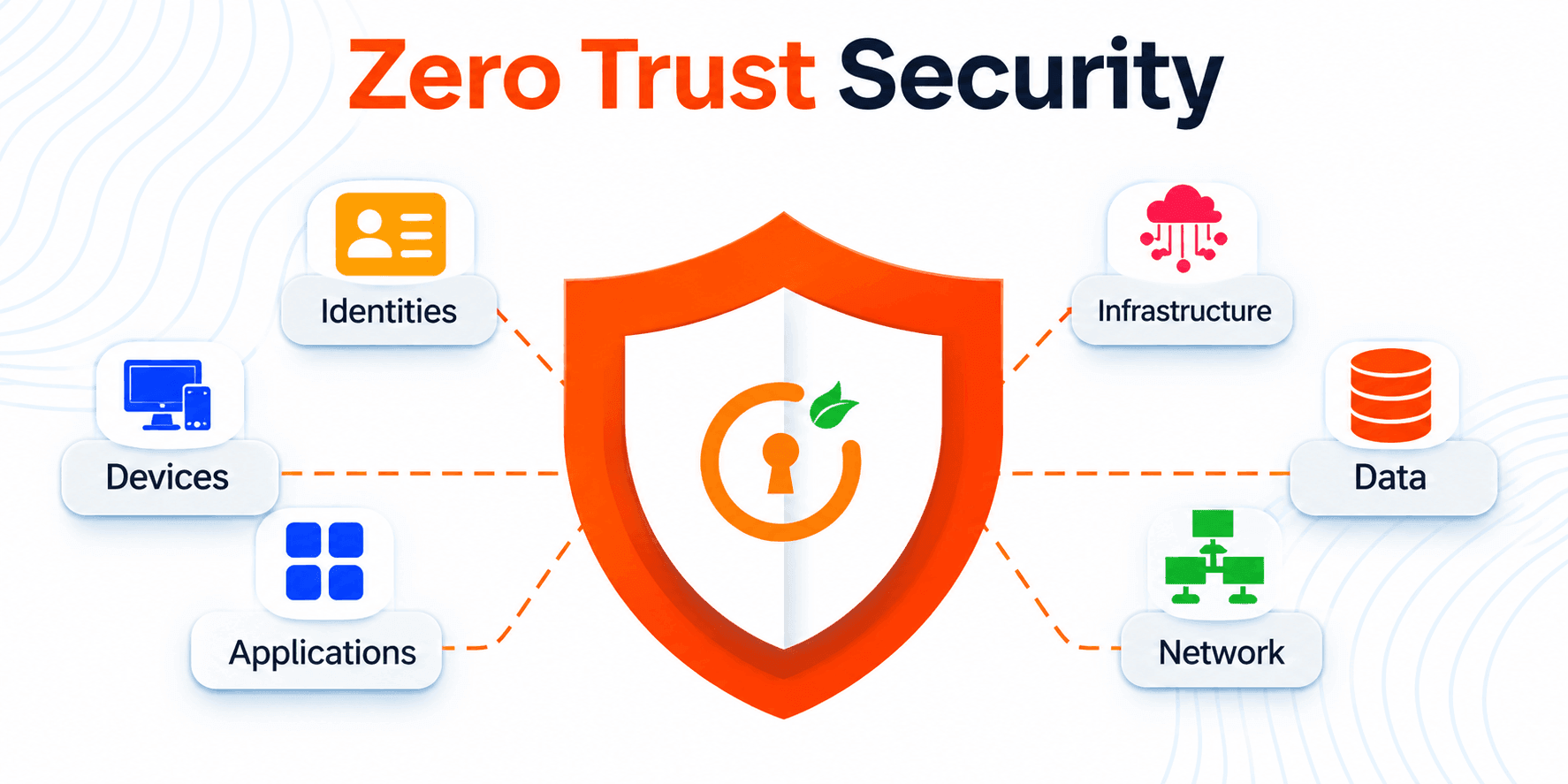
What Is Zero Trust? A Practical Guide for SMBs
Zero Trust Security for Small Business: A Practical Guide to Getting Started
Zero trust security for small business sounds like something only a bank with a 50-person security team needs. It isn’t. If your staff checks email on their phones, shares files in the cloud, or works from home even one day a week, your “office network” stopped being the whole picture a long time ago. Zero trust fixes that with one habit: verify every login, every device, every request, every time. Here is what it means, how it works, and how to start this month without a big budget.
Key takeaways
- Zero trust security for small business means verifying every user, device, and request instead of trusting anything inside the office network.
- You can start with tools you likely already pay for: MFA, single sign-on, and device encryption.
- A VPN is not wrong, but it gives broad access once connected. Zero trust limits each person to the apps they need.
- The first month is enough to make real progress. The 30-day plan below shows how.
What Is Zero Trust?
Zero trust is a security model built on one rule: never trust, always verify. Instead of assuming everyone inside your office network is safe, it checks who is asking, what device they are using, and whether they truly need what they are asking for, on every request. Think of a building where every door needs its own badge swipe, not just the front entrance.
Zero trust drops that assumption. Every request to reach a file, app, or system is checked against a few questions. Who is this person? Is their device healthy? Do they actually need this resource for their job? Is this behavior normal for them?
The model was formalized by NIST in Special Publication 800-207, which is the reference most U.S. compliance conversations point back to. You do not need to read all of it. You only need to understand the mindset: access is earned per request, not granted forever.
The Three Principles Behind Zero Trust
- Verify explicitly. Judge every request by identity, device health, location, and behavior, not just a password.
- Use least-privilege access. Give each person only what their job requires. A marketing hire does not need payroll files.
- Assume breach. Plan as if an attacker could already be inside, and use segmentation and monitoring to limit the damage.
Zero Trust Security Service cost and Pricing Gide:
Why important zero rust security for small business
Enterprise security usually rests on specialized staff, dedicated identity platforms, and round-the-clock monitoring. Most smaller organizations operate very differently: a handful of IT generalists keep laptops, servers, cloud subscriptions, email, and backups running at once. With so much ground to cover and so little slack, the controls that matter most are the ones that deliver the biggest risk reduction for the least operational effort.
Guard the front door: credential theft
Phishing remains one of the easiest ways for an attacker to obtain a working username and password. Requiring a second factor at sign-in, combined with policies that evaluate context device, location, sign-in behavior means a leaked password on its own is no longer a skeleton key.
Make remote work safe by default
Distributed staff need reliable access to the tools they use, not a tunnel into everything the company runs. Granting each person only the systems their role requires, and segmenting the broader network away from day-to-day access, keeps a single compromised laptop from becoming a company-wide incident.
Shrink the blast radius of insiders and mistakes
Excessive permissions are the quiet norm in many small environments shared logins, admin rights handed out for convenience, file shares open to everyone. Most access incidents are unintentional rather than malicious. Right-sizing privileges and reviewing them on a schedule limits the damage either way.
Why Zero Trust Security for Small Business Matters Now
Small companies are not too small to be targeted. Verizon’s 2026 Data Breach Investigations Report found that small and midsize businesses made up about 96% of ransomware victims where company size was known, and ransomware appeared in 48% of all breaches studied. Zero trust security for small business is a practical answer because it limits what an attacker can reach even after something goes wrong:
- Credentials still matter, but they are not the only door. The same Verizon report found that exploited software vulnerabilities (31%) have overtaken credential abuse (13%) as the top way in. Zero trust covers both: MFA and conditional access for accounts, device health checks for unpatched machines.
- Work is no longer in one place. Remote and hybrid staff, contractors, and cloud apps all sit outside the old office perimeter.
- Third parties are a growing risk. Verizon reports that 48% of breaches involved a third party, up from 30% the year before. Vendor and contractor accounts need limited access and an expiry date.
- Mistakes happen. Human error and social engineering played a part in 62% of breaches. Least privilege keeps one wrong click from becoming a company-wide problem.
- Customers and insurers ask questions. Cyber insurance applications and vendor security reviews increasingly expect MFA, access controls, and logging.
The good news is that you can adopt the principles gradually. You do not need to rip and replace anything.
What a Stolen Password Looks Like, With and Without Zero Trust
Here is a simple, illustrative example. A 15-person accounting firm has one employee whose email password is stolen in a phishing attack.
Without zero trust: The attacker logs in from another country, reads client emails, then uses the same login to open the shared drive and the finance system. Nothing stops them, because the password was “correct.”
With zero trust: MFA blocks the login at the first step. If it somehow got past, the unfamiliar device would fail the health check, and the account could only reach the apps that employee’s role needs. An alert reaches the owner within minutes.
Same mistake, very different outcome.
Zero Trust Architecture: The Core Building Blocks
Zero trust architecture is simply the way identity, devices, networks, and data are designed to work together under the “verify every time” rule. For a small business, it boils down to five practical pieces.
1. Strong identity
Identity is the new perimeter. Use a central identity provider (Microsoft Entra ID, Google Workspace, Okta, or similar) so every person has one managed account, then turn on multi-factor authentication for everyone, starting with email, admins, and finance. Use passkeys or FIDO2 security keys for admins where you can, and authenticator apps instead of SMS codes for everyone else. Next, add conditional access rules, such as blocking sign-ins from countries where you have no staff or requiring a managed device for sensitive apps. Test new rules in report-only mode first so you do not lock out your own team.
2. Trusted devices
A correct password on an infected laptop is still a risk. Start with a simple inventory of every device that touches company data, including personal phones. Then require encryption, automatic updates, screen locks, and endpoint protection, and make sure a lost device can be wiped remotely. Unpatched software is now a leading way attackers get in, so patching belongs on this list too. Many business-tier Microsoft 365 and Google Workspace plans already include basic device management.
3. Least-privilege access
Give people only the access their role requires, and nothing more. Your bookkeeper does not need the engineering repository, and your intern does not need admin rights. Review who has access every quarter, and remove accounts the day someone leaves.
4. Segmentation
Separate guest Wi-Fi from staff networks, and keep sensitive systems such as finance or customer databases in their own zone. If something is compromised, segmentation keeps the damage from spreading.
5. Continuous monitoring
Zero trust assumes a breach is possible, so you watch for odd behavior: impossible-travel logins, mass file downloads, new forwarding rules in email. Even simple alerts from your identity and email platforms go a long way.
Zero Trust vs VPN: What Is the Difference?
This is one of the most common questions we hear, and the answer is less about “which is better” and more about “what does each one assume.”
A traditional VPN builds an encrypted tunnel into your network. Once a user connects, they often land on the internal network with broad visibility. The VPN confirms who connected, but not much about what they do afterward.
In the zero trust vs VPN comparison, zero trust access works app by app. Each request is evaluated based on identity, device health, and context, and the user only reaches the specific application they are approved for. That is why many teams replace or reduce their VPN with zero trust network access (ZTNA) tools.
| Traditional VPN | Zero trust approach | |
|---|---|---|
| Trust model | Trusted once connected | Verified on every request |
| Access scope | Often the whole network | Specific apps and data only |
| Device checks | Limited or none | Part of the access decision |
| If an account is stolen | Attacker may roam widely | Damage is limited by least privilege |
| Best fit | Legacy, on-premises systems | Cloud apps and remote teams |
A VPN is not “wrong,” and zero trust does not require you to delete it tomorrow. For a small business, running both for a while is normal, then retiring the VPN as more systems move to the cloud.
Implementing Zero Trust: A 30-Day Starting Plan
Implementing zero trust security for small business sounds big, but the first month can be very manageable. Treat it as a series of small wins rather than one project with a giant price tag.
Week 1: Take stock
List your users, devices, cloud apps, and where your most sensitive data lives (customer records, financials, contracts). You cannot protect what you cannot see. Flag any shared accounts and anyone with admin rights.
Week 2: Lock down identity
Enable MFA for all accounts, starting with email, admins, and finance. Move people into a single identity system and switch off old accounts. Block legacy sign-in methods that skip MFA.
Week 3: Tighten access and devices
Remove excess permissions and shrink the admin group. Require encryption and automatic updates on laptops and phones. Separate guest Wi-Fi from the business network.
Week 4: Monitor and rehearse
Turn on sign-in and activity alerts. Confirm your backups are separate from your main systems and actually restorable. Write a one-page response plan: who gets called, who can disable an account, who talks to customers.
After that, repeat the cycle every quarter. Zero trust is a habit, not a finish line.
Your quick checklist
- MFA is on for email, admin accounts, and finance tools
- Every employee uses one managed login (single sign-on)
- Admin rights are limited to the people who truly need them
- All laptops and phones are encrypted and set to auto-update
- Guest Wi-Fi is separate from the business network
- Former employees and old contractors have been removed
- Sign-in alerts are switched on
- A backup restore has been tested at least once
Zero Trust Security for Small Business by Company Size
Your baseline depends on headcount and how many systems you run. Use this as a starting point, not a rulebook.
| Company size | Minimum baseline | Add when budget allows |
|---|---|---|
| Under 10 people | MFA on every account, passkeys or security keys for the owner and admins, encrypted laptops, a password manager | Device management, managed backups |
| 10 to 50 people | Single sign-on, conditional access, least-privilege roles, separate guest Wi-Fi, quarterly access reviews | Endpoint detection, managed monitoring |
| 50 to 200 people | Device compliance rules, segmentation for finance and HR systems, expiring vendor access, central logging | ZTNA to replace the VPN, a managed security provider |
How Much Does Zero Trust Security for Small Business Cost?
Zero trust security for small business usually costs less than owners expect, because you are probably paying for some of it already. MFA, conditional access, and device management are often included in business subscriptions you own today. The real costs are setup time, a few extra licenses, endpoint protection, and perhaps a managed provider to watch alerts.
A useful way to think about it is cost versus downtime. One ransomware incident or a hijacked email account can cost far more in lost work and customer trust than a year of sensible controls. Start with the free or already-licensed features, then add tools where your risk assessment says gaps remain.
Common Zero Trust Mistakes to Avoid
- Buying a “zero trust product” and calling it done. It is a strategy, not a single box.
- Skipping the inventory. Guessing which apps and devices exist leads to blind spots.
- Making security so painful that staff work around it. Roll out changes with short training and clear communication.
- Forgetting about contractors and vendors. Third-party accounts need the same checks, with expiry dates.
- Setting it and forgetting it. Permissions drift. Review them regularly.
Zero Trust and Compliance
If you handle health data, payment cards, or government contracts, you may already be expected to control access, log activity, and limit privileges. Zero trust security for small business lines up well with frameworks such as NIST, HIPAA, PCI DSS, SOC 2, and CMMC, and it helps with cyber insurance questionnaires too. It does not make you compliant on its own, so check your specific obligations with a qualified advisor.
Frequently Asked Questions
What is zero trust in simple terms?
It implies that no user or device is trusted. Each access attempt will be authenticated based on identity, health status of the device, and necessity, regardless of whether the individual is accessing from the office or remotely.
Is zero trust security for small business realistic with a tiny IT team?
Yes. Start with implementing multi-factor authentication, least privilege, and encrypting devices. These three actions alone will provide much of the security benefit without complex tools.
Does zero trust replace firewalls and antivirus?
No. These layers are still very useful. The concept of zero trust provides additional layers of identity and access control above them.
Can zero trust stop ransomware?
It doesn’t guarantee prevention but makes attacks more difficult and limits their extent, particularly with backups and endpoint security.
How long does implementing zero trust take?
However, it is possible to achieve the first improvements in the matter of a month. In the case of an established system, it takes months or even a year.
Where should a small business start?
Turn on MFA everywhere, remove unnecessary admin rights, and make sure every laptop is encrypted and updated. Then work through the 30-day plan above.
Do small businesses really need zero trust security?
Yes. The reason that attackers target small organizations is that while they possess valuable information, they don’t have sufficient means to protect it. Zero Trust approach for small businesses can help address the most important challenges without an extensive IT department.
How do personal devices fit into zero trust?
Consider them just as you would any other device that handles company information. Ensure that multifactor authentication, screen lock, and up-to-date software are enforced and limit their access. If a personal phone is unable to comply with the requirements, provide access only to specific applications on the web.
Final Thoughts
Zero trust security for small business does not need to be paranoid. It involves abandoning the assumption in favor of verification, step-by-step. Learn what zero trust security is all about, plan based on the five components of the zero trust architecture, learn where the VPN may be useful, and just keep going with zero trust in small steps.
The first thing that you will do right now is enable multi-factor authentication for your emails and admin accounts.
Click hear and Book your free consulting today and talk to our expert
